[!WARNING] As of Feb 15, 2026, Piston API is no longer publicly available and requires an authorization token. This means piston-mcp will no longer work with the publicly hosted instance of Piston.
Installation
You can try out piston-mcp locally without cloning it.
Install uv
To try out piston-mcp you'll need to install uv:
# On MacOS and Linux
curl -LsSf https://astral.sh/uv/install.sh | sh
# On Windows
powershell -ExecutionPolicy ByPass -c "irm https://astral.sh/uv/install.ps1 | iex"Install MCP Client
You will also need to download an MCP client to connect to piston-mcp, such as Claude Desktop.
Update MCP Client Configuration
Update the MCP client's configuration with the following configuration to connect to piston-mcp:
{
  "mcpServers": {
    "piston": {
      "command": "uv",
      "args": [
        "tool",
        "run",
        "--from",
        "git+https://github.com/alvii147/piston-mcp.git@main",
        "piston_mcp"
      ]
    }
  }
}For Claude Desktop, the configuration file is usually found in:
# On MacOS and Linux
~/Library/Application\ Support/Claude/claude_desktop_config.json
# On Windows
%APPDATA%\Claude\claude_desktop_config.jsonUsage
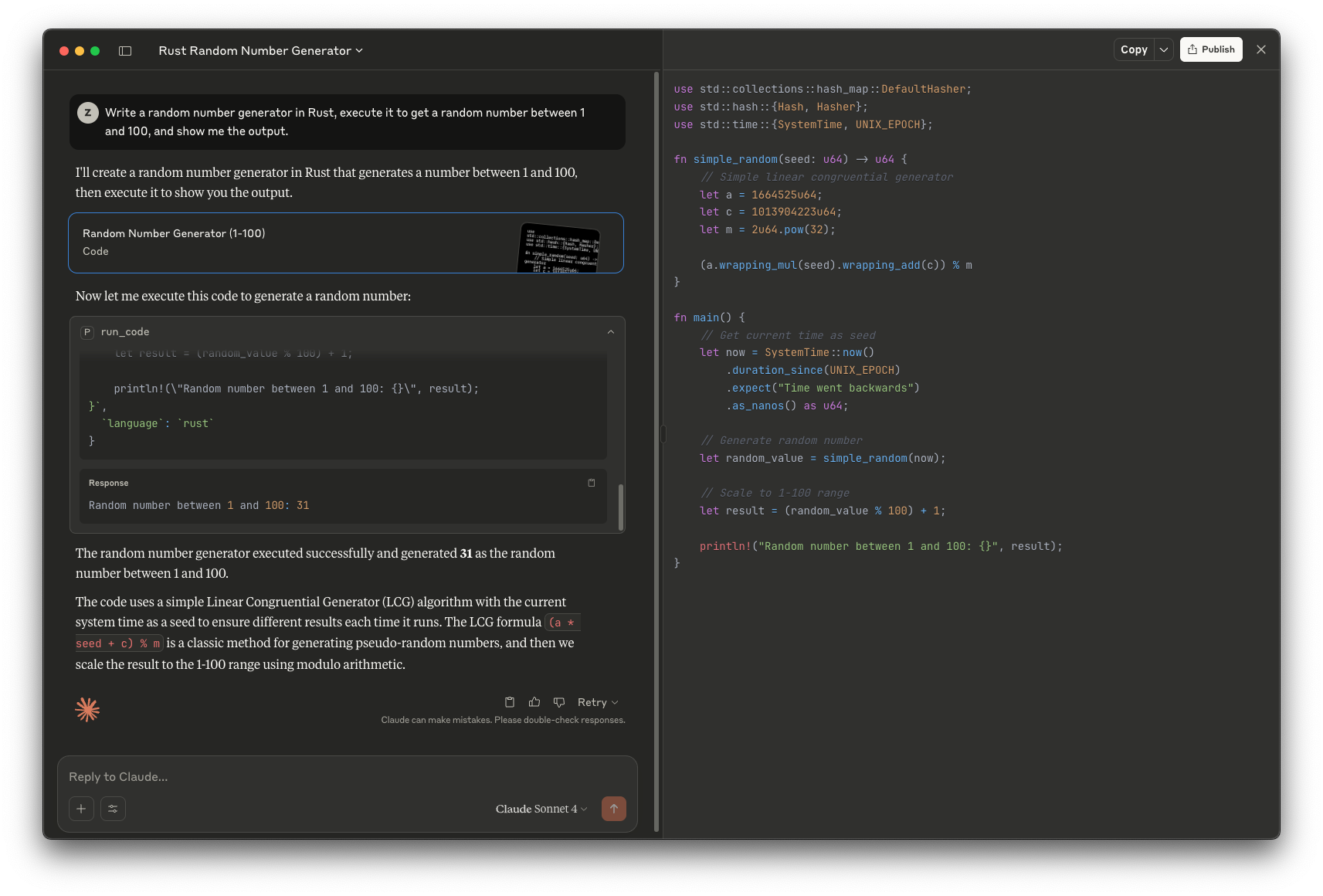
Once you've followed the steps above, your MCP client should be able to run code for you: