Alcove is an HTTP API server that gives AI coding agents on-demand access to your private project docs — BM25 + vector hybrid search for precision retrieval, tree-sitter code indexing so agents understand your codebase structure, and policy enforcement for doc consistency. No context bloat, no leaking docs into public repos, no per-project config for every agent.
Demo
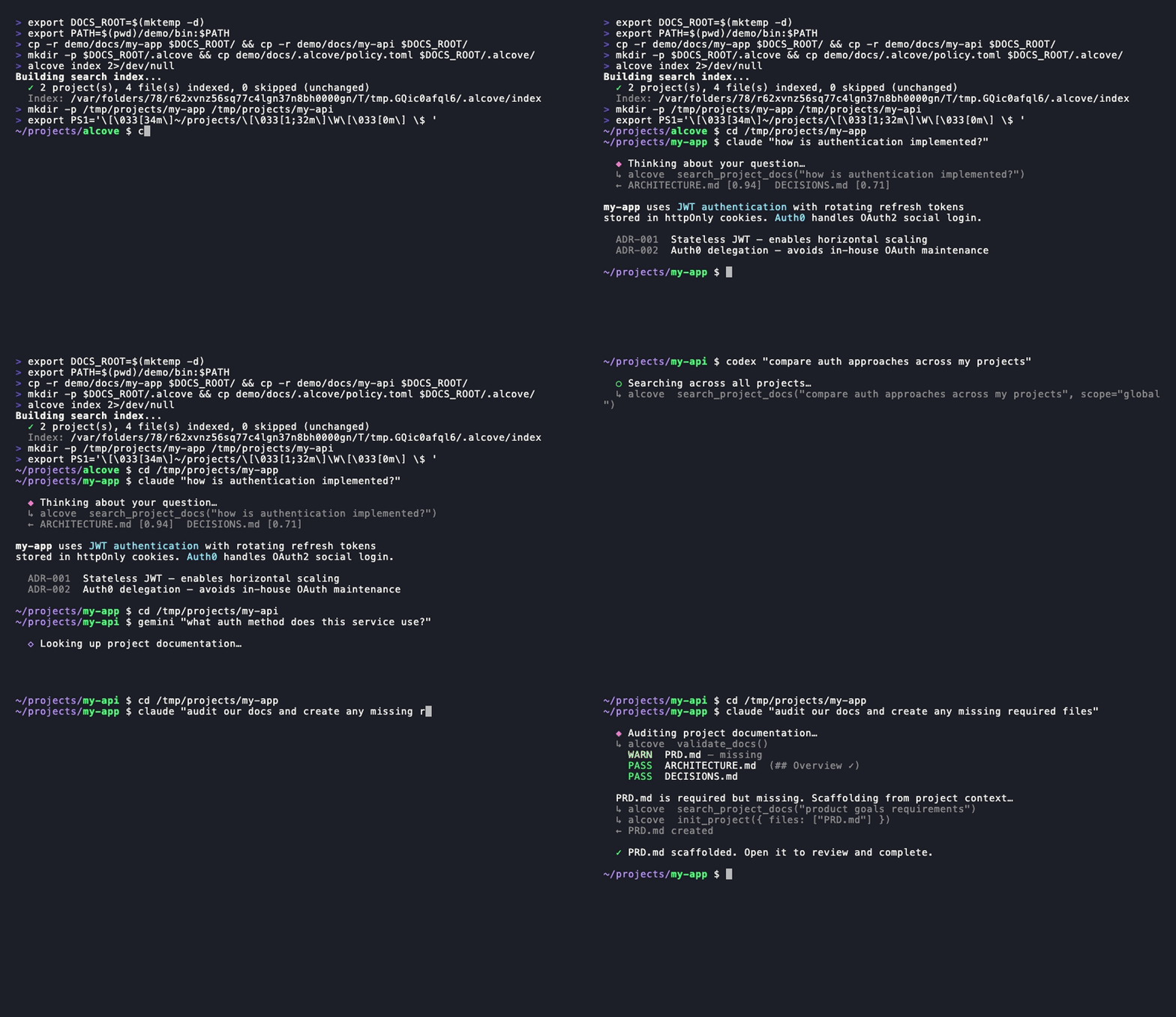
<details> <summary>CLI demo</summary>Claude, Codex — search · switch projects · global search · validate & generate. One setup.
</details>
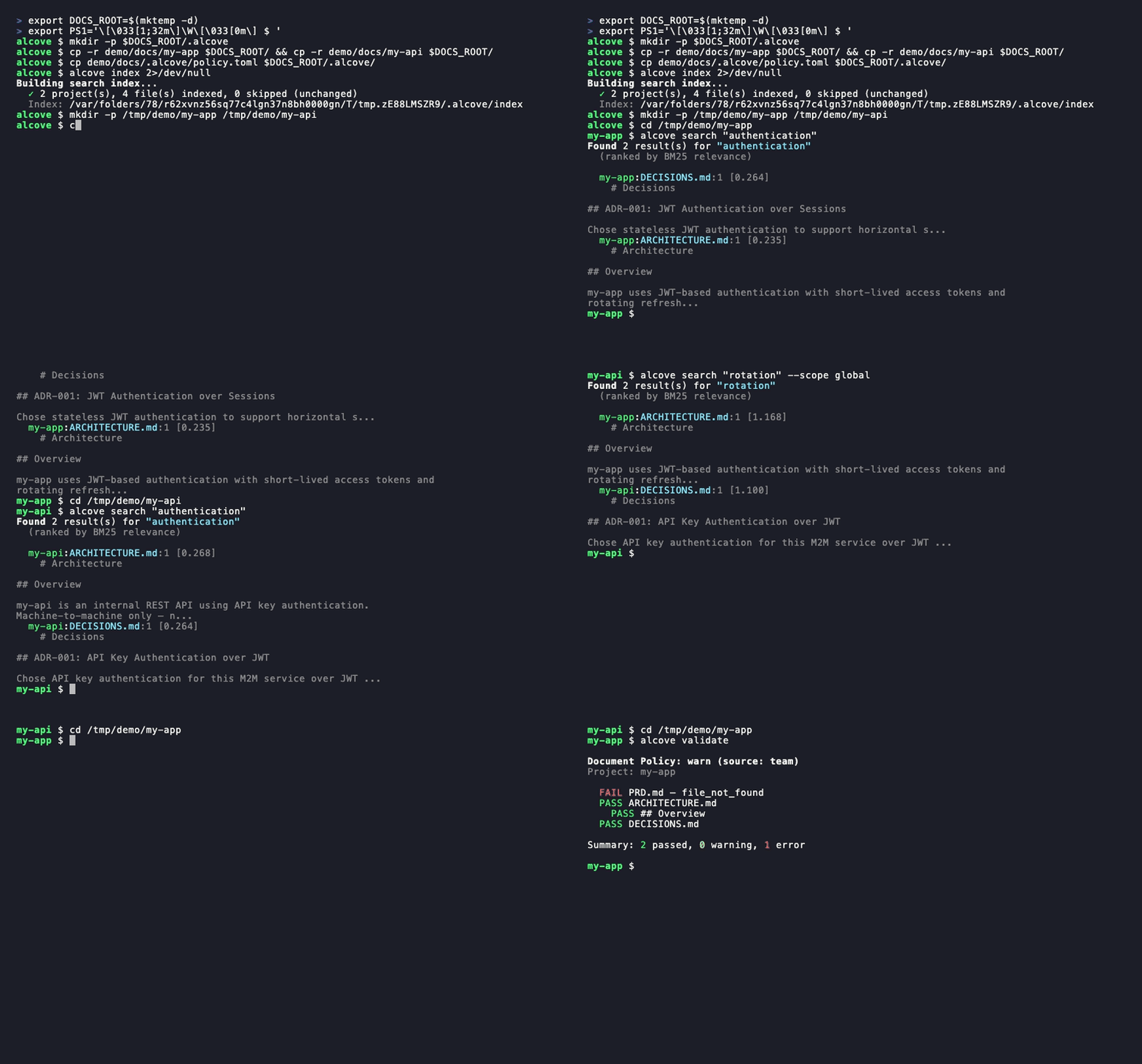
alcove search· project switch ·--scope global·alcove validate
The problem
Your AI agent starts every session from zero.
It doesn't know your architecture. It ignores constraints from decisions you already made. It asks you to explain the same things every session.
The context window is the bottleneck. Every token costs money and attention. Loading 10 architecture docs into context wastes 50K+ tokens on every run — and Anthropic's own docs warn that bloated config files make agents ignore your actual instructions.
So you have three bad options:
Stuff everything into agent config — every file loads into context on every run. 10 docs = context bloat = slower, more expensive, less accurate responses.
Copy-paste into every chat — works once, doesn't scale past one session.
Don't bother — your agent invents requirements you already documented, ignores constraints from decisions you already made, and you re-explain the same architecture every Monday morning.
Now multiply it across 5 projects and 3 agents. Every time you switch, you lose context.
How Alcove solves this
Alcove doesn't inject your docs. Agents search for what they need, when they need it.
~/projects/my-app $ claude "/alcove how is auth implemented?"

  → Alcove detects project: my-app
  → BM25 search: "auth" → ARCHITECTURE.md (score: 0.94), DECISIONS.md (score: 0.71)
→ Agent gets the 2 most relevant docs, not all 12~/projects/my-api $ codex "/alcove review the API design"
→ Alcove detects project: my-api
→ Same doc structure, same access pattern
→ Different project, zero reconfigurationSwitch agents anytime. Switch projects anytime. The document layer stays standardized.
Why Alcove
Alcove gives your agents a memory that survives between sessions.
Agents don't load your docs into context. They search for what they need, when they need it. Architecture docs, design decisions, runbooks, constraints — all in one place, searchable, never in your public repo.
Agent config is for agent behavior. Alcove is for project knowledge.
Agent config files                ← agent rules, coding conventions, recurring corrections
~/.alcove/docs/my-app/
  ARCHITECTURE.md                ← tech stack, data model, system design
  DECISIONS.md                   ← why X was chosen over Y
  DEBT.md                        ← known issues, workarounds
... ← agent searches here when it needs context| Without a doc layer | With Alcove |
|---|---|
| Docs in agent config bloat context on every run | Hybrid search (BM25 + RAG) — agents pull only what they need, ranked by relevance |
| Agent only sees text docs, not code structure | Tree-sitter code indexing — agents understand modules, functions, and types across 12 languages |
| Internal docs scattered across Notion, Google Docs, local files | One doc-repo, structured by project |
| Each AI agent configured separately for doc access | One setup, all agents share the same access |
| Switching projects means re-explaining context | CWD auto-detection, instant project switch |
| Agent search returns random matching lines | Ranked results — best matches first, one result per file |
| "Search all my notes about OAuth" — impossible | Global search across every project in one query |
| Sensitive docs sitting in project repos | Private docs on your machine, never in public repos |
| Doc structure differs per project and team member | policy.toml enforces standards across all projects |
| No way to check if docs are complete | validate catches missing files, empty templates, missing sections |
| Stale docs with broken links or WIP markers go unnoticed | lint detects broken links, orphans, and stale markers automatically |
| Notes from Obsidian or other tools stay siloed | promote brings any note into your doc-repo with one command |
Quick start
Required: Run
alcove setuponce after installation to configure your docs root and enable full functionality. Plugins start the API server automatically, but Alcove cannot search or index documents untilsetuphas been run.Using Obsidian? See the Ecosystem section for the docs structure and vault configuration.
Claude Code
/plugin marketplace add epicsagas/plugins
/plugin install alcove@epicsagasAuto-installs the binary and starts the API server on next session start.
alcove setup # run once after plugin installUpdates with claude plugin update alcove@epicsagas.
Codex CLI
codex plugin marketplace add epicsagas/pluginsAuto-installs the skill and starts the API server. Available immediately — no further steps needed.
Updates with codex plugin update alcove@epicsagas.
macOS (Apple Silicon only)
brew install epicsagas/tap/alcoveNo Homebrew? Use the installer script:
curl --proto '=https' --tlsv1.2 -LsSf \
https://github.com/epicsagas/alcove/releases/latest/download/install.sh | shLinux (x86_64 / ARM64)
curl --proto '=https' --tlsv1.2 -LsSf \
https://github.com/epicsagas/alcove/releases/latest/download/install.sh | shWindows (x86_64 / ARM64)
irm https://github.com/epicsagas/alcove/releases/latest/download/install.ps1 | iexAntigravity (Gemini CLI)
agy plugins install https://github.com/epicsagas/alcoveAuto-installs the plugin (API server, skill, hooks) and starts it on next session start.
alcove setup # run once after plugin installVia Rust toolchain
cargo binstall alcove   # pre-built binary, includes hybrid search
cargo install alcove --features full-macos   # build from source (macOS)
cargo install alcove --features full-cross # build from source (Linux/Windows)Note:
cargo binstalldownloads a pre-built binary with hybrid search (vector + BM25) included. When building from source,--features full-macosor--features full-crossis required for hybrid search support. Without features, only BM25 (keyword) search is available.
First-time setup (required)
After installing via any method above, run:
alcove setup
alcove --version
alcove doctorsetup walks you through everything interactively:
- Where your docs live
- Which document categories to track
- Preferred diagram format
- Embedding model for hybrid search
- Background server — eliminate cold-start on every session (macOS login item)
- Which AI agents to configure (skill files — Claude Code and Codex are handled by their plugin systems)
Re-run alcove setup anytime to change settings. It remembers your previous choices.
Optional dependencies
| Tool | Purpose | Install |
|---|---|---|
pdftotext (poppler) | Full PDF text extraction — required for PDF search | macOS: brew install poppler · Debian/Ubuntu: apt install poppler-utils · Fedora: dnf install poppler-utils · Windows: poppler for Windows |
Without pdftotext, Alcove falls back to a built-in PDF parser which may fail on some files. Run alcove doctor to check your setup.
Troubleshooting
Agent can't find Alcove tools
Run alcove setup again — it reconfigures the API server for all configured agents. Then start a new agent session (changes take effect on next session start).
Search returns no results
The index may not be built yet. Run alcove index to build it, then try again.
403 Unauthorized from background server
ALCOVE_TOKEN is not set in your shell. Run alcove token to print it, then add export ALCOVE_TOKEN="..." to your shell profile and reload.
alcove doctor reports issues
Follow the suggestions printed by doctor — it checks binary location, API server status, index state, and optional dependencies like pdftotext.
Usage
CLI Search
Search through your documents directly from the terminal. By default, it searches across all projects (global scope).
# Basic search (global scope)
alcove search "authentication"

# Limit search to the current project (auto-detected via CWD)
alcove search "auth flow" --scope project

# Force grep mode (exact substring match)
alcove search "TODO" --mode grep

# Force ranked mode (BM25/Hybrid)
alcove search "data model" --mode ranked

# Adjust result limit
alcove search "deployment" --limit 5Coding Agents (HTTP API)
AI coding agents use Alcove through a local HTTP API. The URL and auth token are resolved once per session with alcove api env:
eval $(alcove api env)
# sets ALCOVE_URL=http://127.0.0.1:<port>
# sets ALCOVE_TOKEN=<token> (only if configured)Agents can verify connectivity with the verify or rag status argumen
…