Binary Ninja MCP
This repository contains a Binary Ninja plugin, MCP server, and bridge that enables seamless integration of Binary Ninja's capabilities with your favorite LLM client.

Features
- Seamless, real-time integration between Binary Ninja and MCP clients
- Enhanced reverse engineering workflow with AI assistance
- Support for every MCP client (Cline, Claude desktop, Roo Code, etc.)
- Open multiple binaries and switch the active target automatically
Examples
Solving a CTF Challenge
Check out this demo video on YouTube that uses the extension to solve a CTF challenge.
Components
This repository contains two separate components:
- A Binary Ninja plugin that provides an MCP server that exposes Binary Ninja's capabilities through HTTP endpoints. This can be used with any client that implements the MCP protocol.
- A separate MCP bridge component that connects your favorite MCP client to the Binary Ninja MCP server.
Prerequisites
- Binary Ninja
- Python 3.12+
- MCP client (those with auto-setup support are listed below)
Installation
MCP Client
Please install the MCP client before you install Binary Ninja MCP so that the MCP clients can be auto-setup. We currently support auto-setup for these MCP clients:
1. Cline (recommended)
2. Roo Code
3. Claude Desktop (recommended)
4. Cursor
5. Windsurf
6. Claude Code
7. LM StudioExtension Installation
After the MCP client is installed, you can install the MCP server using the Binary Ninja Plugin Manager or manually. Both methods support auto-setup of MCP clients.
If your MCP client is not set, you should install it first then try to reinstall the extension.
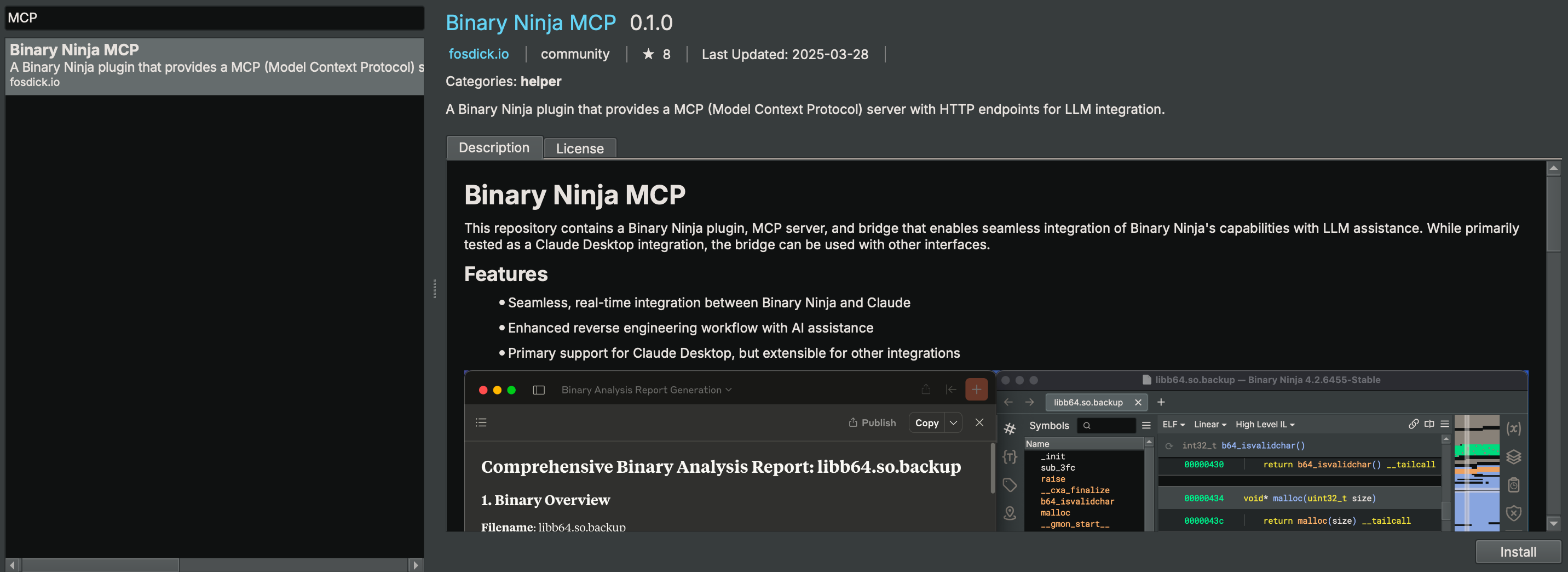
Binary Ninja Plugin Manager
You may install the extension through Binary Ninja's Plugin Manager (Plugins > Manage Plugins).
Manual Install
To manually install the extension, this repository can be copied into the Binary Ninja plugins folder.
[Optional] Manual Setup of the MCP Client
You do NOT need to set this up manually if you use a supported MCP client and follow the installation steps before.
You can also manage MCP client entries from the command line:
python scripts/mcp_client_installer.py --install    # auto setup supported MCP clients
python scripts/mcp_client_installer.py --uninstall  # remove entries and delete `.mcp_auto_setup_done`
python scripts/mcp_client_installer.py --config # print a generic JSON config snippetUsing npm package (Recommended)
The recommended way to set up the MCP client is using the official npm package:
npx -y binary-ninja-mcpFor MCP clients, use this configuration:
{
  "mcpServers": {
    "binary-ninja-mcp": {
      "command": "npx",
      "args": ["-y", "binary-ninja-mcp", "--host", "localhost", "--port", "9009"]
    }
  }
}Or if installed globally:
{
  "mcpServers": {
    "binary-ninja-mcp": {
      "command": "binary-ninja-mcp",
      "args": ["--host", "localhost", "--port", "9009"]
    }
  }
}Using Python Bridge (Legacy)
For other MCP clients, use the Python bridge directly:
{
    "mcpServers": {
        "binary_ninja_mcp": {
            "command": "/ABSOLUTE/PATH/TO/Binary Ninja/plugins/repositories/community/plugins/fosdickio_binary_ninja_mcp/.venv/bin/python",
            "args": [
                "/ABSOLUTE/PATH/TO/Binary Ninja/plugins/repositories/community/plugins/fosdickio_binary_ninja_mcp/bridge/binja_mcp_bridge.py"
            ]
        }
    }
}Note: Replace /ABSOLUTE/PATH/TO with the actual absolute path to your project directory. The virtual environment's Python interpreter must be used to access the installed dependencies.
Usage
- Open Binary Ninja and load a binary
- Click the button shown at left bottom corner
- Start using it through your MCP client
You may now start prompting LLMs about the currently open binary (or binaries). Example prompts:
CTF Challenges
You're the best CTF player in the world. Please solve this reversing CTF challenge in the <folder_name> folder using Binary Ninja. Rename ALL the function and the variables during your analyzation process (except for main function) so I can better read the code. Write a python solve script if you need. Also, if you need to create struct or anything, please go ahead. Reverse the code like a human reverser so that I can read the decompiled code that analyzed by you.Malware Analysis
Your task is to analyze an unknown file which is currently open in Binary Ninja. You can use the existing MCP server called "binary_ninja_mcp" to interact with the Binary Ninja instance and retrieve information, using the tools made available by this server. In general use the following strategy:

- Start from the entry point of the code
- If this function call others, make sure to follow through the calls and analyze these functions as well to understand their context
- If more details are necessary, disassemble or decompile the function and add comments with your findings
- Inspect the decompilation and add comments with your findings to important areas of code
- Add a comment to each function with a brief summary of what it does
- Rename variables and function parameters to more sensible names
- Change the variable and argument types if necessary (especially pointer and array types)
- Change function names to be more descriptive, using mcp_ as prefix.
- NEVER convert number bases yourself. Use the convert_number MCP tool if needed!
- When you finish your analysis, report how long the analysis took
- At the end, create a report with your findings.
- Based only on these findings, make an assessment on whether the file is malicious or not.Supported Capabilities
The following table lists the available MCP functions for use:
| Function | Description |
|---|---|
decompile_function | Decompile a specific function by name and return HLIL-like code with addresses. |
get_il(name_or_address, view, ssa) | Get IL for a function in hlil, mlil, or llil (SSA supported for MLIL/LLIL). |
define_types | Add type definitions from a C string type definition. |
delete_comment | Delete the comment at a specific address. |
delete_function_comment | Delete the comment for a function. |
declare_c_type(c_declaration) | Create/update a local type from a single C declaration. |
format_value(address, text, size) | Convert a value and annotate it at an address in BN (adds a comment). |
function_at | Retrieve the name of the function the address belongs to. |
fetch_disassembly | Get the assembly representation of a function by name or address. |
get_entry_points() | List entry point(s) of the loaded binary. |
get_binary_status | Get the current status of the loaded binary. |
get_comment | Get the comment at a specific address. |
get_function_comment | Get the comment for a function. |
get_user_defined_type | Retrieve definition of a user-defined type (struct, enumeration, typedef, union). |
get_xrefs_to(address) | Get all cross references (code and data) to an address. |
get_data_decl(name_or_address, length) | Return a C-like declaration and a hexdump for a data symbol or address. |
hexdump_address(address, length) | Text hexdump at address. length < 0 reads exact defined size if available. |
hexdump_data(name_or_address, length) | Hexdump by data symbol name or address. length < 0 reads exact defined size if available. |
get_xrefs_to_enum(enum_name) | Get usages related to an enum (matches member constants in code). |
get_xrefs_to_field(struct_name, field_name) | Get all cross references to a named struct field. |
get_xrefs_to_struct(struct_name) | Get xrefs/usages related to a struct (members, globals, code refs). |
get_xrefs_to_type(type_name) | Get xrefs/usages related to a struct/type (globals, refs, HLIL matches). |
get_xrefs_to_union(union_name) | Get xrefs/usages related to a union (members, globals, code refs). |
get_stack_frame_vars(function_identifier) | Get stack frame variable information for a function (names, offsets, sizes, types). |
get_type_info(type_name) | Resolve a type and return declaration, kind, and members. |
get_callers(identifiers) | List callers plus call sites for one or more function identifiers. |
get_callees(identifiers) | List callees plus call sites for one or more function identifiers. |
make_function_at(address, platform) | Create a function at an address. platform optional; use default to pick the BinaryView/platform default. |
list_platforms() | List all available platform names. |
list_binaries() | List managed/open binaries with ids and active flag. |
select_binary(view) |
…