Semgrep Guardian: Claude Code Plugin
A plugin that runs in Claude Code, detecting and resolving the vulnerabilities, malicious packages, and hardcoded secrets your agent introduces before code even gets pushed.
Semgrep Guardian integrates natively with AI coding agents like Claude Code and Cursor to catch security issues before they ship. It bundles the Semgrep MCP server, and Hooks into a single install, and scans every file an agent generates using Semgrep Code, Supply Chain, and Secrets. When findings are detected, the agent is prompted to regenerate code until Semgrep returns clean results or you choose to dismiss them.
[!NOTE] This project is under active development. We would love your feedback. Join the
#mcpcommunity Slack channel!
:rocket: Installation instructions:
Get started in under 2 minutes — run these five commands inside Claude Code.
-
Start a Claude Code instance by running:
claude -
Add the Semgrep marketplace by running the following command in Claude:
/plugin marketplace add semgrep/guardian -
Install the plugin from the marketplace:
/plugin install semgrep@semgrep-marketplace -
Tell claude to load the plugin:
/reload-plugins -
Ask claude to login to semgrep, using the guardian mcp
login to semgrepThis should call into the MCP, but if claude is having trouble, call
/clearto restart claude, or exit and reopen claude manually.
What's included in the Semgrep Guardian?
The Semgrep Guardian is a plugin that installs directly into any AI coding agent. It bundles two components; an MCP server and hooks. We ensure every line of AI-generated code is scanned before it ever reaches a pull request. No more delaying PR's due to vulnerabilities generated by AI.
<table> <tr> <td width="50%" valign="top">MCP Server
The agent asks Semgrep and Semgrep answers. The MCP server exposes tools to access Semgrep's findings so the agent can call them directly.
</td> <td width="50%" valign="top">Hooks
Consistent scanning that your team can rely on. Hooks fire on every file write, ensuring a scan regardless of what the agent does.
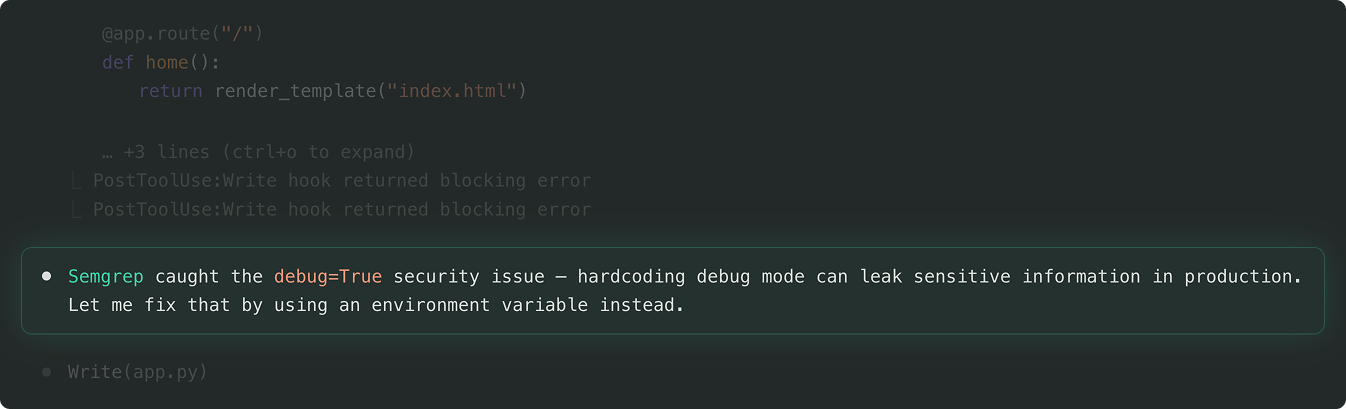
</td> </tr> </table>Catch security issues in realtime, before you push your code.
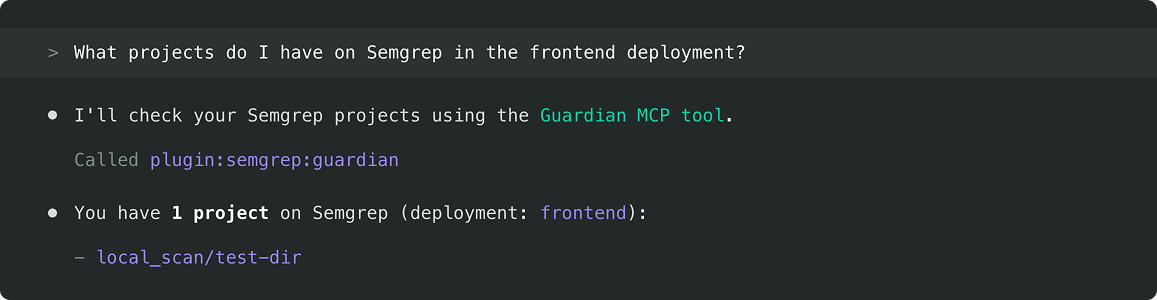
Easily pull data from the Semgrep app via the MCP server.
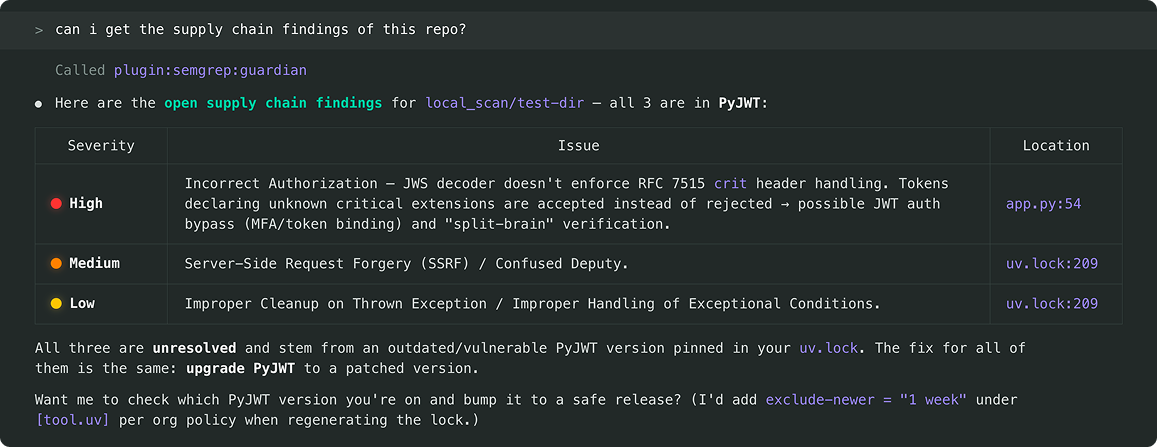
Use Semgrep MCP to provide context to your agent for remediation, without leaving your terminal.
Rolling out Guardian across your team
For specific guidance to roll out Semgrep Guardian via an MDM or via your agent's built-in enterprise security controls, view this detailed documentation to help your security team enforce the standardization of Guardian across all their developers. For more details, this is how you roll it out: Rolling out Semgrep Guardian.